 Tap AAC
What you are making
A communication board is a page of pictures, words or letters that a person points to, or looks at, to say something. Picture boards can be changed and expanded to fit a person’s age, education, work and interests.1 On a paper board, every picture stays in a fixed place, and only so many fit on a page.2
You can make one with a pen and card, on a computer, or in our free AAC board maker, or start from one of the free printable boards and change it. If you are still deciding between a board, a book, cards or a speech app, start with low-tech AAC: choosing and using boards, books and cards.
Four questions before you start
- Who is it for? A toddler, a teenager and an adult after a stroke need different words and different pictures. The words should fit the person’s age, language, culture and identity.2
- Where will it be used? One activity, like bath time; one place, like the car; or everywhere, all day. A first board is easiest when it is for one activity.
- How will the person choose? With a finger or a fist, by looking, or by signaling yes while you point to each box in turn. AAC and cerebral palsy explains each way to choose.
- What will they want to say there? Asking for things is only the start. Think about saying no, commenting (“I like it”), asking questions and joking.
How to make a communication board in 8 steps
1. Pick one activity or place
Choose something that happens every day and that the person cares about: a snack, the bath, the car, a favorite game. Words arranged around one activity, sometimes called an activity display, can increase how much a person takes part, and encourage them to put words together.2
2. Write down the words
Do the activity once and jot down what you both say. Then sort the list into four kinds of words:
- Core words: small words that work in any activity, like go, stop, more, help, not, like and all done. Core vocabulary is the set of frequent words that make up about 80% of the words most people use every day.2 See core words, explained.
- Fringe words: the things, people and places of this activity, like music, window and Grandma. They are less frequent words, mostly nouns, that belong to one situation.2
- Quick social words: yes, no, hi, my turn, that’s funny.
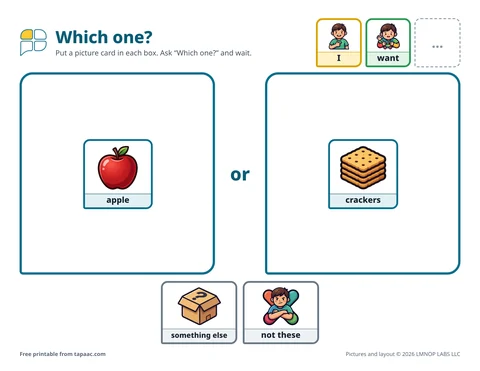
- A way out: a box that says “something else” or “it’s not here”, so the person can tell you that the word they need is missing.
Use both core and fringe words: combining them can increase how often AAC is used.2 And choose words that matter to this person. Functional, personal and meaningful words can lead to more success and make it less likely that the board ends up in a drawer.2
3. Decide how many boxes
There’s no right number for everyone. How big the pictures are, and how many go on a page, is decided for each person, from how they see, move and understand.2 To show what that looks like on paper: the toddler snack board in our guides has 6 big boxes, the car ride example below has 12, and the free core word board has 30.
If you’re not sure, start with fewer, bigger boxes and leave room to add more. Then watch: if the person often touches the box next to the one they meant, the boxes may be too small or too close together. A speech-language pathologist or an occupational therapist can help you judge size and spacing.
4. Plan the layout
- Give every word a home. When words stay in the same place as new ones are added, there is less to remember and the hand learns the way.2 If more is top left on one board, put it top left on every board you make.
- Group words by kind. In a 2017 study, 52 young children without disabilities built short picture messages faster when the symbols were grouped by kind of word than when they weren’t arranged at all.3 It was one study, with children who didn’t use AAC, but grouping is easy to do: people, then actions, then describing words, then things.
- Follow the order of a sentence. For a board that builds sentences, lay the words out in the order they are spoken, left to right in English.2 Then a message like “I want music” can be pointed to from left to right.
- Be careful with color. Many boards color words by kind, and color is one of the ways displays are organized.2 But colored backgrounds have little research behind them. In the same 2017 study, colored backgrounds didn’t make children faster; most were a little faster with white backgrounds, although that difference wasn’t statistically significant, and the authors advise caution with background color on boards for young children.3 In our examples, the color is on the border and the word strip, and each picture sits on white.
- Save category pages for later. Pages sorted by category, such as all the food or all the places, suit older users: typically developing children begin to find that kind of grouping helpful at around 6 to 7 years of age.2 For a young child’s first board, stick to one activity.
Treat layout rules as starting points, and change what doesn’t work for the person.
5. Choose the pictures
- Photos, drawings or written words. Symbols can be objects, photographs, drawings, written words or tactile symbols.2 A photograph or a written word is easy to guess even when the real thing isn’t there.2 Small words like more and not can’t be photographed, so they need a drawing or the written word.
- Print the word on every picture. A symbol shown with its written word helps communication partners learn and understand it, especially on a board that doesn’t speak.2
- Use the real thing for what matters most: a photo of Grandma, the family car or the favorite cup.
- Make the pictures look like the person. The professional guidance asks for skin tones and features in pictures that reflect the person and their community.2
- Keep it grown-up for adults. Use adult pictures and topics, and written words for people who read. The communication board for adults is an example.
The free AAC board maker has more than 2,500 pictures to search, and you can add your own photos, which stay on your device.
6. Print it, and make it last
- Print on card or thick paper, US Letter or A4.
- Laminate it, or slide it into a sheet protector, so it can be wiped clean. For the bath or the pool, add a zip-top plastic bag.
- For pictures that move, like choices or schedule steps, add hook-and-loop dots.
- For several pages, punch holes and use binder rings, or use a slim folder with tabs.
- For a wheelchair tray or a table, a clipboard or a stand keeps the board upright and in view.
7. Put it where it’s used, and make copies
A board only helps if it is there when there is something to say. People who use AAC should always have access to their communication tools,2 so make a copy for each place it’s needed: the table, the car, the bathroom wall, Grandma’s house.
8. Use it yourself
Point to words on the board while you talk, without asking the person to copy you. Then wait, and answer every point or look: the low-tech guide shows what that looks like at bath time. Our guide on how to teach a child to use AAC goes through modeling, waiting and responding step by step, and the one-page modeling handout is ready to stick on the fridge.
Example: a car ride board
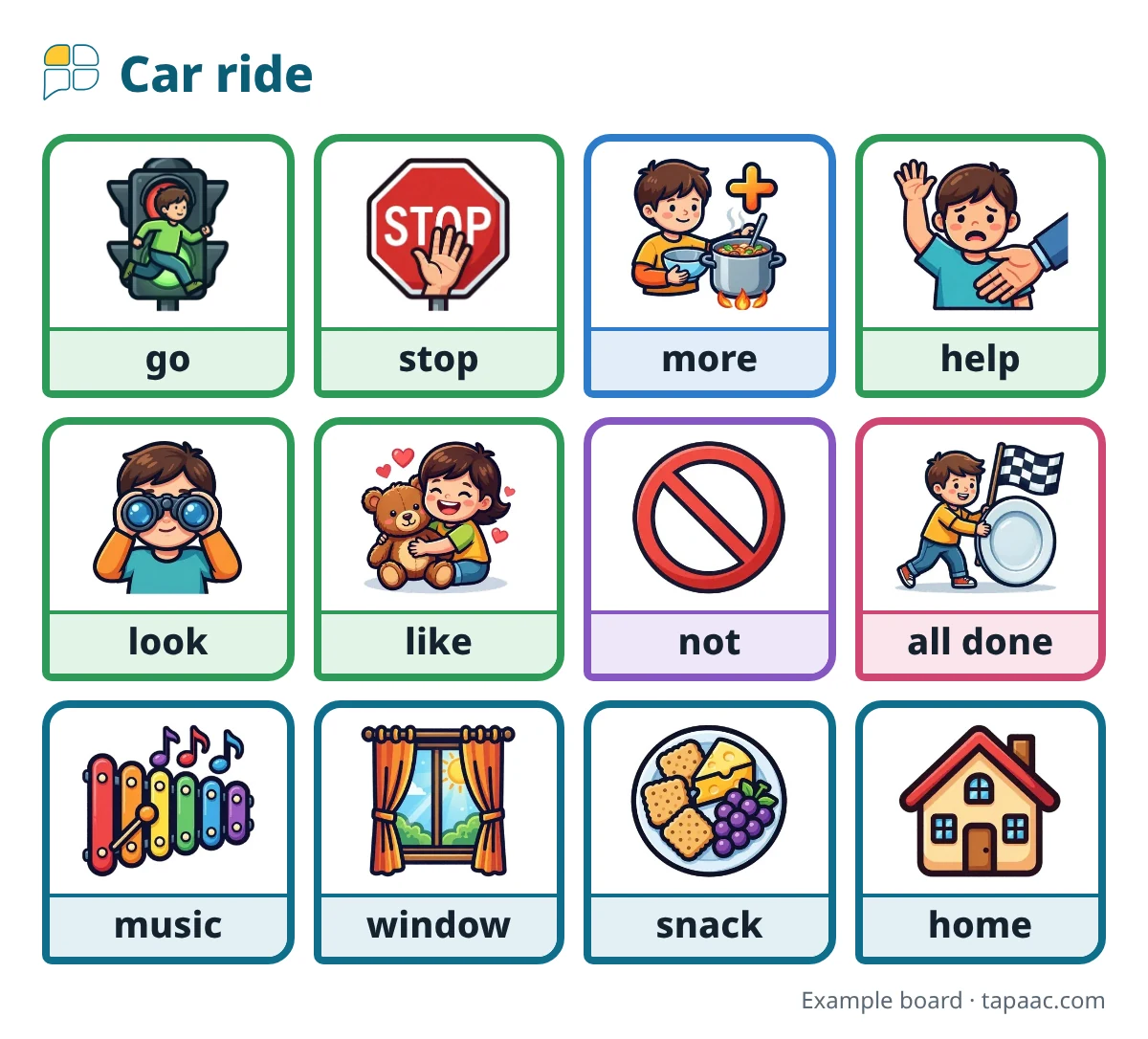
This board has 12 boxes in three rows. The top row has words that do a lot of work in the car: go, stop, more and help. The middle row is for comments and opinions: look, like, not and all done. The bottom row has the things of the trip. With it, a child can say “go”, “more music”, “not music”, “look, window!” or “all done”. Make your own version with a photo of your car and the places you go.
Keep the board growing
- Listen for missing words. When the person points to “something else”, or you see them trying to say something the board can’t, write it down and add it.
- Add words without moving the old ones. Use empty boxes, or a second page.
- When it gets crowded, make a book: a core word page at the front, then a page for each topic. The low-tech guide has tips for communication books.
- Fix what stops it being used. Known barriers to AAC use include a lack of relevant vocabulary, equipment that breaks down, and caregivers who don’t support using it.2 Each of these can be changed.
Shortcuts: ready-made boards and makers
- The free printable boards cover everyday routines, feelings, outings, school, adults and the hospital. Each one has an “Edit this board in the free board maker” link, so you can change the words and pictures before you print.
- For a routine with steps, the free visual schedule maker opens a ready-made morning, bedtime, toilet or school day schedule for you to change.
- Every free board also comes as a board file for the Tap AAC app: see how to add a free board to Tap AAC.
Try this today
- Pick one activity, and write down every word you both say during it.
- Circle 6 to 12 of them, including more, help and all done.
- Lay them out in the free board maker, or edit one of the free printable boards.
- Laminate it, put it where the activity happens, and point to one word each time you do the activity.
More AAC guides
- Low-tech AAC: choosing and using boards, books and cardsBoards, books and cards with no batteries: which to choose, and how to use them every day.
- How to teach a child to use AAC: model, wait and respondModeling, waiting and responding in depth, with examples, and what to do when it isn’t working.
- Visual supports for autism at home: schedules, choices and timersSchedules, first-then boards, choice boards, timers and labels, and how to start at home.
- What is a core word board?Core words versus fringe words, and why each word keeps its spot on the board.
- How to add a free board to Tap AAC (and other apps that open .obz files)Download the board file on the tablet, import it from the Page library, and find the new page.
Sources
We read each of these on October 13, 2026. Numbers in the text point to them.
- National Institute on Deafness and Other Communication Disorders (NIH). Assistive Devices for People with Hearing, Voice, Speech, or Language Disorders. Last updated November 12, 2019.
- American Speech-Language-Hearing Association. Augmentative and Alternative Communication (Practice Portal). Professional guidance for speech-language pathologists. Accessed October 12, 2026.
- Thistle JJ, Wilkinson K (2017). Effects of background color and symbol arrangement cues on construction of multi-symbol messages by young children without disabilities: implications for aided AAC design. Augmentative and Alternative Communication, 33(3), 160–169. Abstract on PubMed.
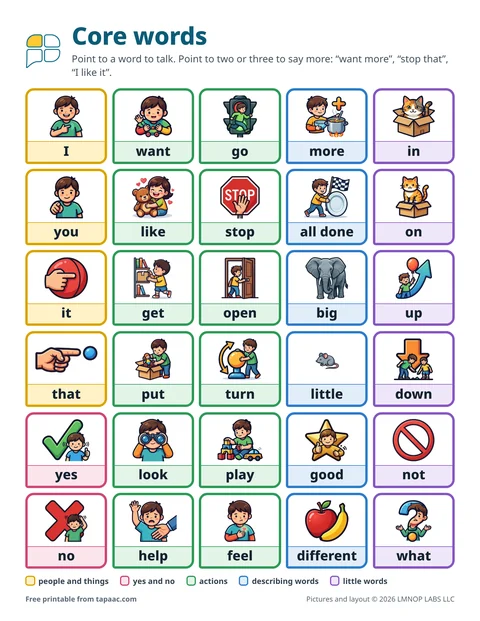 Core word board
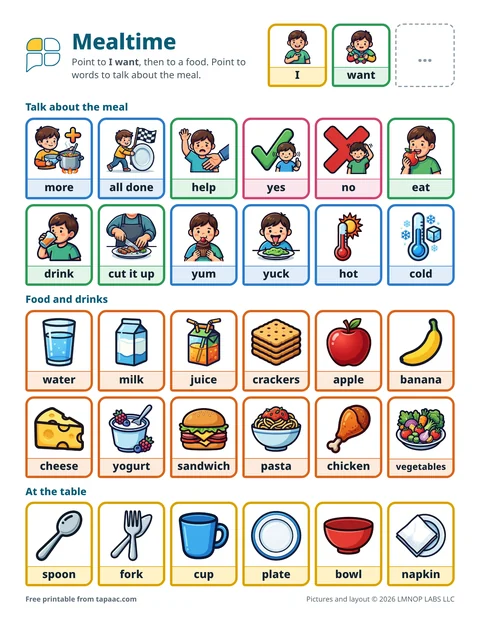 Mealtime communication board
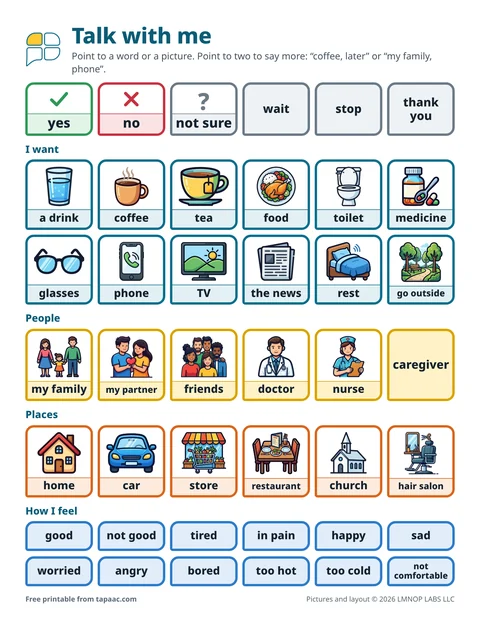 Communication board for adults
 Choice boards