 Tap AAC
How cerebral palsy can affect communication
Cerebral palsy (CP) is a group of disorders that affect movement, balance and posture. It is the most common motor disability in childhood and it doesn’t get worse over time, though symptoms can change over a lifetime. Many people with CP also have problems with vision, hearing or speech, and in some types the face and tongue are affected, which makes talking hard.1
A large review of population studies put it in numbers: among children with CP, 1 in 4 could not talk, 1 in 10 were blind and 1 in 25 were deaf.2 Speech and language therapy can help, by working on speech, teaching other ways to communicate such as signs or pictures, and providing a device that speaks.3
Movement is not understanding. The same review found that about half of children with CP had an intellectual disability, which also means about half did not.2 You can’t tell what someone understands from how they move or speak. Talk to the person directly, and expect the speech-language pathologist to adapt tests that need speech or pointing, rather than skip them.4
Four ways to choose
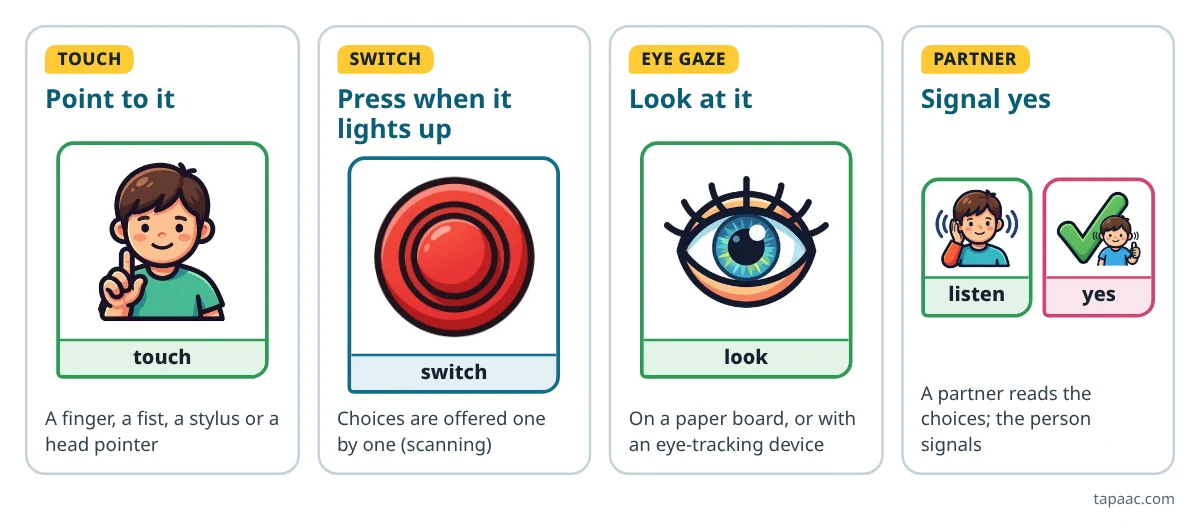
Speech-language pathologists call these selection techniques. In direct selection, the person picks the item themselves: by touch, or with a joystick, a head mouse or their eyes. In scanning, the choices are offered one at a time, and the person picks with a switch or an agreed movement or sound.4
| Way | How it works | Good to know |
|---|---|---|
| Touch | A finger, a fist, a stylus or a head pointer on a board or a screen | One movement, one message, and the least to remember, but it needs fairly precise movement and good vision |
| Switch scanning | The choices light up in turn, one by one or a row at a time, and a press on the switch picks | Needs much less fine control, but there are extra steps, and it asks more of memory |
| Eye gaze | The person looks at a choice: on a paper board a partner holds up, or with an eye-tracking device | The eyes do the pointing; it is a kind of direct selection |
| Partner-assisted scanning | A partner points to or reads out the choices one at a time, and the person signals yes | Needs no equipment, and works as a backup when other ways aren’t available |
The strengths and costs in the table come from the professional guidance’s comparison of direct and indirect selection.4 Many people use more than one: touch when rested, partner-assisted scanning when tired. A well-designed AAC system can change its way of access as the person’s needs change.4
Making touch easier
- Fewer, bigger targets. The size and number of pictures on a page are set for each person, based on their vision and the control they have over their movements.4
- Space between targets, so a near miss doesn’t pick the wrong word.
- Accessories can help: a keyguard (a cover with a hole over each button, so a finger lands in the right place), a stylus, a joystick or a mount.4
- Touch settings on a tablet, such as holding a button for a moment before it counts, or ignoring quick repeat taps.
- Position first. How the person sits, and where the board or tablet is, can turn a miss into a hit. Physical and occupational therapists help with positioning and with choosing a way to select.4
Switches and scanning
A switch is a big button, or another sensor, placed where the person has a movement they can make reliably and without tiring: a hand, the side of the head, a knee, a foot. In scanning, the items are offered one by one, or a row, a column or a quarter of the page at a time, until the person picks.4
- One switch: the highlight moves by itself, and a press picks. Two switches: one moves the highlight, the other picks.
- Row first, then the button is quicker than one button at a time on a full page.
- Put the most used words where the scan reaches first, such as the top row.
- Give it time. Learning a switch takes practice; keep the practice short and fun, with something worth saying.
Eye gaze
Looking is a way to point. On paper, the person looks at a picture, a word or a group of letters, and the partner follows their eyes. With an electronic eye-tracking device, the system follows the eyes and picks what the person looks at.4
Low-tech eye pointing is easy to try today: hold up two or four big choices, far apart, and watch where the person looks. Our free eye gaze board comes with how to use it, step by step, on the same page.
Be realistic about the research on electronic eye gaze for cerebral palsy. A 2018 systematic review found only two studies that met its criteria, both low level: one reported positive results for children with CP, and the other was about adults with ALS. It called the evidence sparse.5 That doesn’t mean eye gaze can’t work; it means a careful trial with the team matters.
Partner-assisted scanning
In partner-assisted scanning, you offer the choices one at a time, by pointing to them or saying them, and the person makes an agreed signal, such as a blink, a sound, a nod or a raised hand, when you reach the one they want. It is used by people with severe movement, vision or communication difficulties, by people who don’t yet have another reliable way to choose, and as a backup when their usual system isn’t available or working.4
- Agree on one clear yes signal, and practice it with easy questions.
- Start with groups when there are many choices: “Food? Drinks? People? Something else?” Then offer the items in the group the person picked.
- Always include “something else” and “it’s not here”, so the person isn’t stuck with your guesses.
- Say what they chose, and check it with yes or no.
To spell this way, see the partner-assisted scanning steps on our eye gaze board page.
Start with a clear yes and no
A reliable yes and no turns every question into a conversation, and how a person answers yes-or-no questions is one of the things an AAC assessment looks at.4 Agree on signals that are easy to tell apart, such as looking up for yes and down for no, and write them on an “About me” card that goes everywhere with the person. The yes and no board helps when a gesture is hard to read.
Then build out from there. A few core words such as more, stop, help and different go a long way when every choice takes effort.
Seating, positioning and the team
Access is a team job. People who have trouble moving their hands can use AAC with their arms, feet, head or eyes, and a speech-language pathologist can work with occupational and physical therapists to find the way that works.6 Ask the team about:
- seating, and where the board, tablet or switch should be mounted, in the wheelchair, at the table and in bed;
- which movement is the most reliable, and the least tiring, across a whole day;
- how vision affects the size, color and layout of the pictures;
- a backup for when the device is charging, or the person is tired or unwell.
Needs change as children grow and as adults get older, so plan to look at the setup again from time to time.
Try this today
- Write down how the person says yes and no now, and share it with everyone who helps.
- Hold up two choices, far apart, and watch where the person looks or reaches.
- Print the eye gaze board or the yes and no board, and try it at one meal.
- Ask the speech-language pathologist and occupational therapist which movement is the most reliable for choosing.
More AAC guides
- How to choose an AAC app: questions to ask before you buyStart with the person, try before you buy, and the questions to ask about any app.
- Using an eye gaze boardOn the eye gaze board’s page: spelling with the eyes, and partner-assisted scanning, step by step.
- AAC for toddlers: when to start, and how to begin at homeStarting before your child talks: one routine, a few words, modeling and early intervention.
- AAC for adults: after a stroke, with ALS or MND, and in the hospitalAfter a stroke, with ALS or MND, and in the hospital: what helps, and when to plan.
Sources
We read each of these on October 12, 2026. Numbers in the text point to them.
- Centers for Disease Control and Prevention (CDC). About Cerebral Palsy. Page dated June 12, 2026.
- Novak I, Hines M, Goldsmith S, Barclay R (2012). Clinical prognostic messages from a systematic review on cerebral palsy. Pediatrics, 130(5), e1285–e1312. Abstract on PubMed.
- NHS (UK). Cerebral palsy: Treatment. Page last reviewed May 31, 2023.
- American Speech-Language-Hearing Association. Augmentative and Alternative Communication (Practice Portal). Professional guidance for speech-language pathologists. Accessed October 12, 2026.
- Karlsson P, Allsop A, Dee-Price BJ, Wallen M (2018). Eye-gaze control technology for children, adolescents and adults with cerebral palsy with significant physical disability: Findings from a systematic review. Developmental Neurorehabilitation, 21(8), 497–505. Abstract on PubMed.
- Communication Health Support Association, powered by the American Speech-Language-Hearing Association. Augmentative and Alternative Communication (AAC). Information for the public. Accessed October 12, 2026.
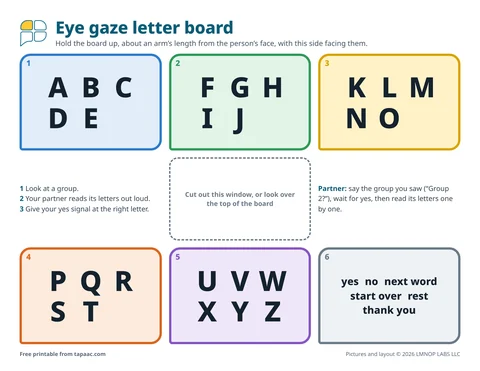 Eye gaze board
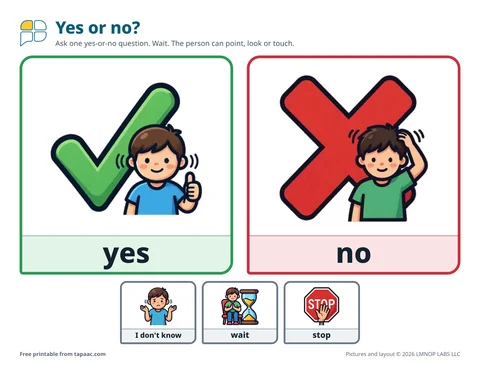 Yes and no board
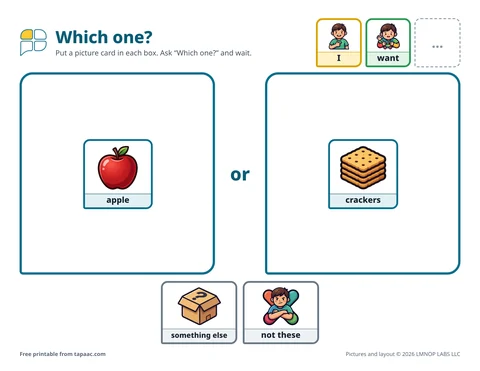 Choice boards
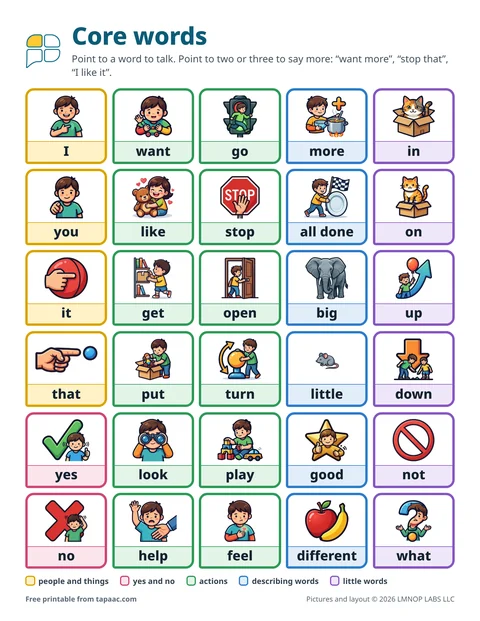 Core word board