 Tap AAC
You can save board files now and add them whenever you have the app.
What a board file is
Files ending in .obf or .obz are Open Board Format files. They contain everything needed to import a communication board into AAC software on a device or tablet, and the format is openly documented and open-licensed.1 An .obz file is a package: one or more boards together with their pictures.
Our board files are made from the same lists as the printable PDFs: the same words, in the same order and the same colors, and the same pictures as the PDF. The pictures travel inside the file, so nothing is downloaded during the import, and it works with no internet connection.
Which boards have one
- Every free printable board, from the core word board to the boards for adults and the hospital. Look for Add to Tap AAC under the PDF buttons.
- Every core word of the week mini board: the week’s word and the words that go with it, as one small page.
- Any board you make in the free AAC board maker: choose Save for Tap AAC (.obz). Your own photos go into the file too.
Add a board, step by step
- Open the board’s page on the tablet in the web browser, and tap Add to Tap AAC. The file is saved in the tablet’s download location.2
- Open Tap AAC. On the front screen, tap Page library. If editing is protected with a PIN, Tap AAC asks for it first.
- Open the Page library and, at the end of the list, tap Import a board file (.obf or .obz).
- Choose the file. The tablet’s file picker opens; look in Downloads. The name ends in .obz, for example needs-board.obz.
- Open the new page. Tap AAC says what it brought in, for example “Imported 1 page, 19 buttons.” Open the page from there, or tap Done.
What changes in your book
- One new page, at the end of the book. Nothing that was already there changes: not your pages, not Home, not your settings.
- The same pictures as the printable, laid out in the same order as the printed sheet, so a word learned on paper is easy to find on the tablet.
- Find it again from the book menu: tap the page name at the top of the talking screen to see every page.
- Reach it in one tap with a folder button: in Edit pages, tap a button, and under When pressed choose Opens a page.
- Change anything. It’s an ordinary page, so you can edit its words, pictures and colors.
- Added the same board twice? If the book already has a page with that name, the new one gets “(imported)” after its name.
If you downloaded it on a computer
Move the file to the tablet the way you usually move files, for example with a USB cable, or by emailing it to yourself and saving the attachment on the tablet. Then carry on from step 2.
If something goes wrong
- Can’t find the file? Downloaded files are usually in the tablet’s Files app; some tablet makers use a different app for it.3
- “That isn’t a board file” means the file’s name doesn’t end in .obf or .obz, for example because it was renamed to .zip. Download it again from the board page, or rename it so the name ends in .obz.
- “Damaged” or “couldn’t be opened”: download the file again. When Tap AAC can’t read a file, it adds nothing at all, so your book is never left half changed.
- Still stuck? Email support@lmnoplabs.fun with the board’s name and the message you saw.
Other apps that open .obz files
The Open Board Format was made so that communication boards can move between AAC apps and be shared, instead of being stuck in one app or device.1 Our board files follow it, so other AAC apps that import Open Board Format (.obz) files can open them too; how a board looks there depends on the app. The boards are free to use and share, but please don’t sell them (see the terms of use).
Paper and tablet, side by side
Because the board file and the printable match, you can keep the paper copy for the bath, the park and the times the tablet is charging, and find the same words in the same order on the tablet. People who use AAC should always have access to a way to communicate, and many combine paper and high-tech AAC.4 More in low-tech AAC.
Try this today
- Pick the board you would use most, and open its page on the tablet.
- Tap Add to Tap AAC, and check that the file in Downloads has a name ending in .obz.
- Print the same board, so the paper copy and the tablet match.
- Make a board of your own in the board maker, and save it for Tap AAC.
More AAC guides
- Low-tech AAC: choosing and using boards, books and cardsBoards, books and cards with no batteries: which to choose, and how to use them every day.
- What is a core word board?Core words versus fringe words, and why each word keeps its spot on the board.
- How to choose an AAC app: questions to ask before you buyStart with the person, try before you buy, and the questions to ask about any app.
- What is AAC? A plain-language guide for familiesWhat the letters mean, the kinds of AAC, who uses it, and six first steps.
Sources
We read each of these on October 12, 2026. Numbers in the text point to them.
- OpenAAC. Open Board Format (OpenBoards). Accessed October 12, 2026.
- Google Chrome Help. Download a file (Android phone and tablet). Accessed October 12, 2026.
- Android Help. Find & delete files on Android. Accessed October 12, 2026.
- American Speech-Language-Hearing Association. Augmentative and Alternative Communication (Practice Portal). Professional guidance for speech-language pathologists. Accessed October 12, 2026.
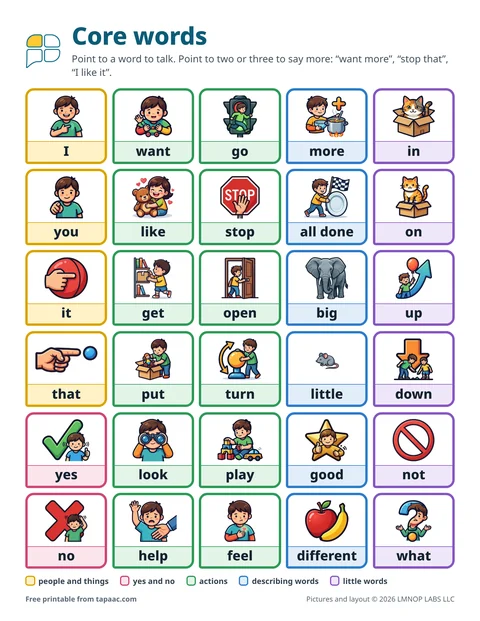 Core word board
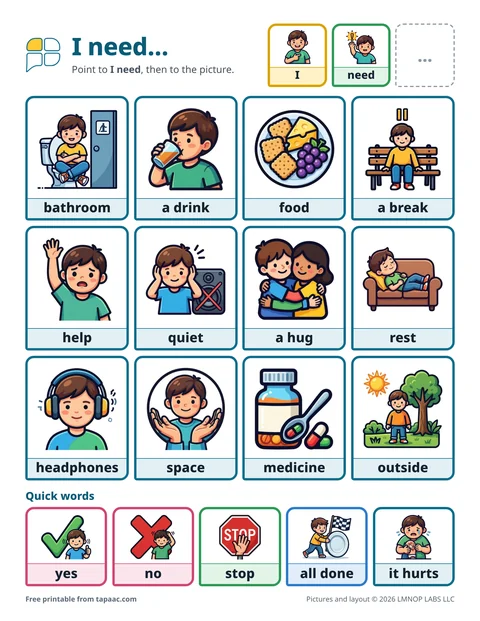 Needs board
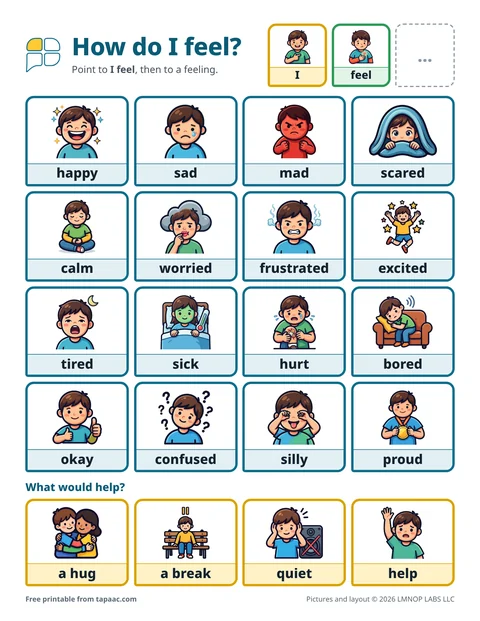 Feelings board
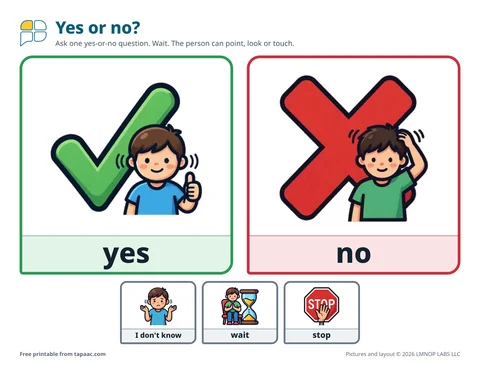 Yes and no board