 Tap AAC
Riding the city bus: free visual schedule and talk board
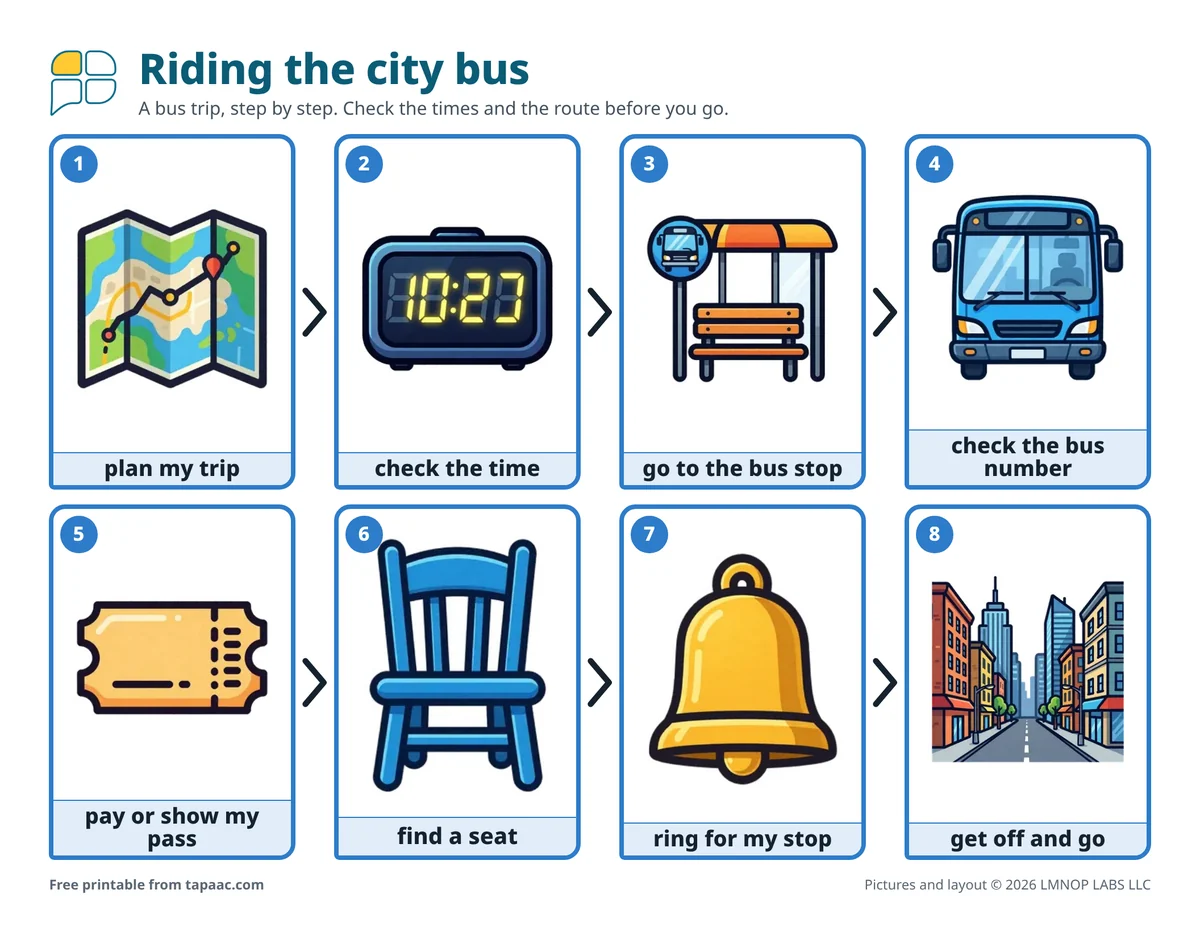
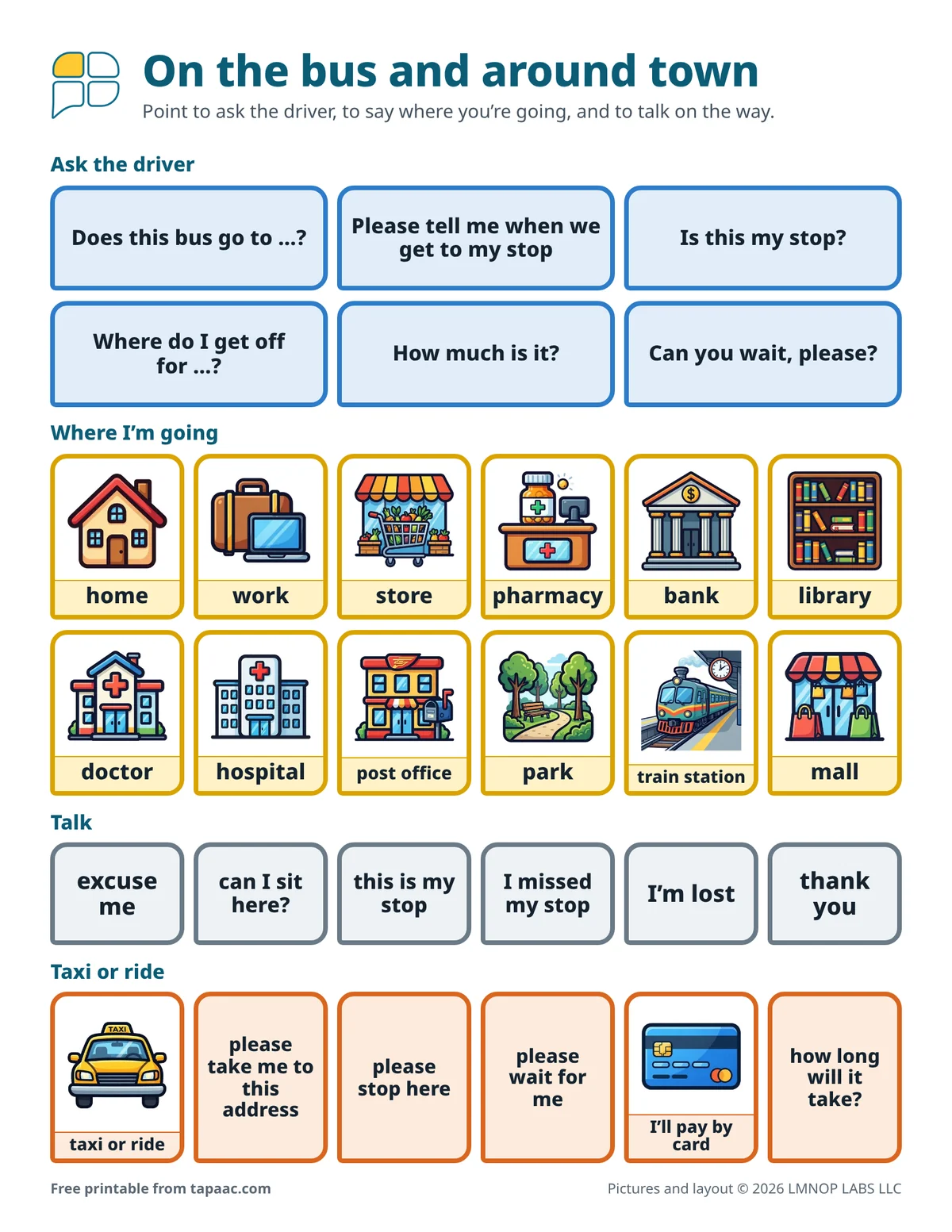
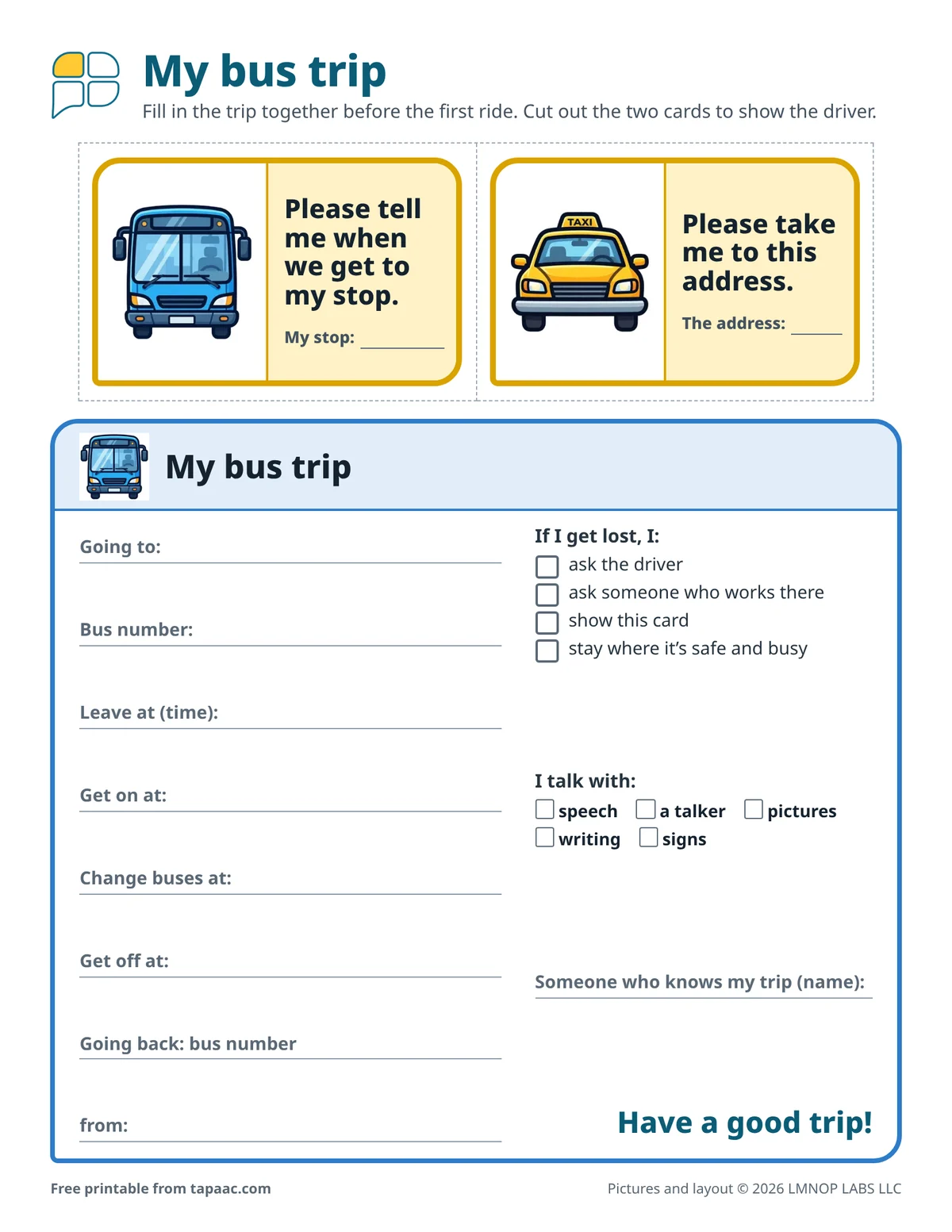
Riding the public bus alone means planning, timing, paying, finding a seat and knowing when to get off, and sometimes asking a stranger for help. This free city bus visual schedule shows a trip in eight steps: plan my trip, check the time, go to the bus stop, check the bus number, pay or show my pass, find a seat, ring for my stop, and get off and go. Page 2 has words for the driver, places in town, and taxis or rides; page 3 has two cards to show the driver and a trip card to fill in.
Download the free PDF US Letter, 3 pages, 891 KB
Printing on A4 paper? Download the A4 PDF (3 pages, 892 KB). Or pick one page shape for every page:
Portrait (tall page, 3 pages): US Letter PDF (892 KB) · A4 PDF (892 KB)
Landscape (wide page, 3 pages): US Letter PDF (892 KB) · A4 PDF (892 KB)
Edit this board in the free board maker: change the words and pictures, then print.
Have Tap AAC? Add to Tap AAC (.obz file, 778 KB) · How to add a board
- Free
- No sign-up
- Print as many as you need
New riders and new routes
Teens learning to travel on their own, adults starting a new job or day program, and anyone who rides the bus and talks with a device, a board, writing or signs. It also helps someone who rides the same route every day but freezes when something changes: a detour, a new driver, a missed stop. The pictures are of places and things, so it suits a grown-up.
Practice before the first trip alone
- Plan the trip together with the route map or your transit system’s trip planner, and fill in the trip card on page 3: the bus number, the stops, the times and the way back.
- Ride it together first, more than once. Point to each step on page 1 as it happens, and let the rider do a little more of it each time.
- Practice the questions from page 2 with the driver on a quiet trip: Is this my stop? is easier to ask once you’ve asked it before.
- Then ride behind: the rider goes first, you sit further back, and step in only if you’re needed.
- Agree on a plan for problems: what to do if the bus doesn’t come, or the stop goes by.
On the bus
Every bus system is a little different: some take cash, some a pass or a card you tap; some have a cord to pull for your stop, some a button. Ask how yours works, and change the steps in the schedule maker if they differ. The card Please tell me when we get to my stop is worth handing to the driver as you get on, with the stop written on it. Sit near the front if you can, where the driver can see you and you can see the stop names.
Taxis and rides
The last row on page 2 is for a taxi, or a ride booked in an app. Please take me to this address, with the address written on the card from page 3, works better than spelling it out in a moving car. Please wait for me and please stop here cover the end of the trip.
If something goes wrong
Every rider misses a stop sometimes. I missed my stop and I’m lost are on page 2 so the rider can tell the driver straight away, and the trip card lists what to do next: ask the driver, ask someone who works there, show the card, or stay where it’s safe and busy. In an emergency, call 911 or your local emergency number; our guide to AAC in an emergency covers contacting 911 when you can’t speak, and the “I use AAC” cards explain to strangers how you talk.
The same steps in the schedule maker
Open “City bus” in the schedule maker to add a change of buses, put in a photo of your own bus stop, or make the trip home.
For students
For a student with an IEP in the US, getting around the community can be part of the transition plan for life after school, which the IEP must include from age 16 at the latest. Read AAC and the IEP. For younger riders, there’s the school bus visual schedule.
Jordan is 19 and starting a job at a garden center across town. For two weeks his job coach rode the bus with him, and Jordan filled in his trip card: get on at Elm Street, get off at the mall. On his first day alone he hands the driver the card, Please tell me when we get to my stop, with “Mall” written on the line. The driver nods. Two stops early, Jordan points to Is this my stop? on his board. “Not yet. Next one.”
What’s on the PDF
Riding the city bus
- plan my trip
- check the time
- go to the bus stop
- check the bus number
- pay or show my pass
- find a seat
- ring for my stop
- get off and go
Ask the driver
- Does this bus go to …?
- Please tell me when we get to my stop
- Is this my stop?
- Where do I get off for …?
- How much is it?
- Can you wait, please?
Where I’m going
- home
- work
- store
- pharmacy
- bank
- library
- doctor
- hospital
- post office
- park
- train station
- mall
Talk
- excuse me
- can I sit here?
- this is my stop
- I missed my stop
- I’m lost
- thank you
Taxi or ride
- taxi or ride
- please take me to this address
- please stop here
- please wait for me
- I’ll pay by card
- how long will it take?
Cards to show
- Please tell me when we get to my stop.
- Please take me to this address.
If I get lost
- ask the driver
- ask someone who works there
- show this card
- stay where it’s safe and busy
Printing tips
- Fold page 2 in half to fit a jacket pocket, or keep it in a clear badge holder clipped to a bag strap.
- Laminate the two cards and write the stop with a dry-erase marker, so one card works for every trip.
- Keep a filled-in trip card in the bag, and a copy at home with whoever knows the route.
- Where the bus goes: the pharmacy communication board, the bank and money board and the work visual schedule.
More free boards
-
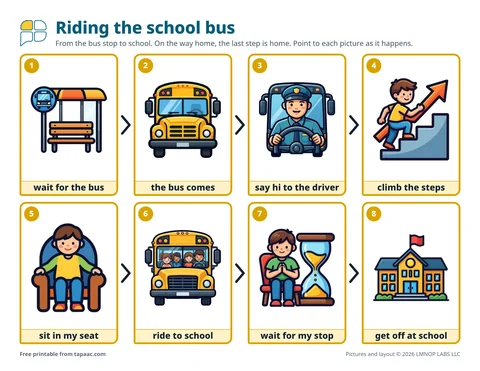 School bus visual scheduleThe steps of riding the school bus, bus rules and words for the ride, and a note to fill in for the bus driver.
-
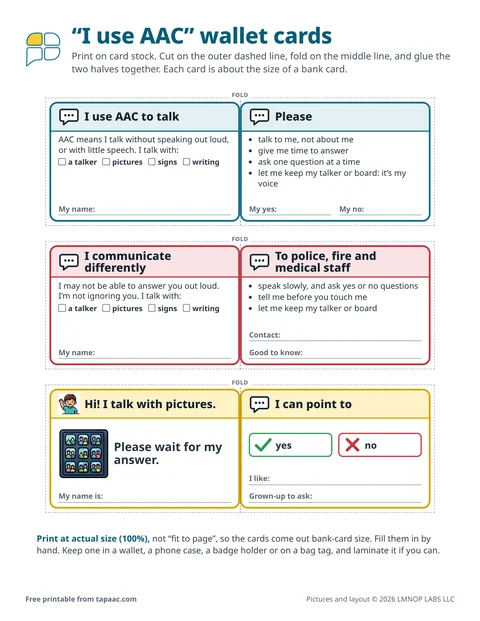 Nonverbal communication cardsFold-out “I use AAC” wallet cards for new people and first responders, and 14 quick cards for a key ring.
-
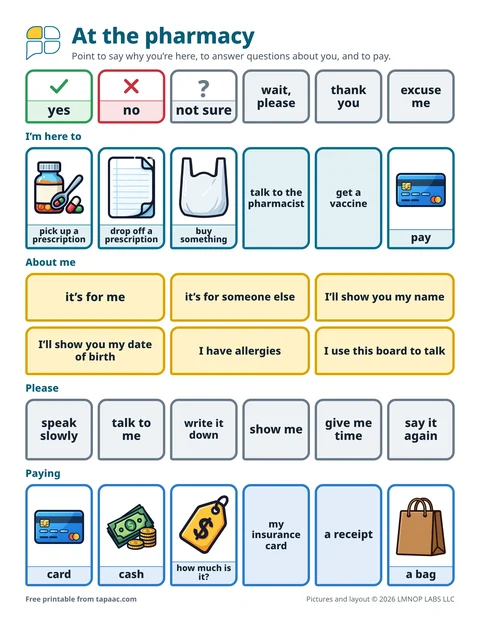 Pharmacy communication boardFor teens and adults at the pharmacy counter: why you’re here, about me, paying, questions for the pharmacist, and a card to fill in.
-
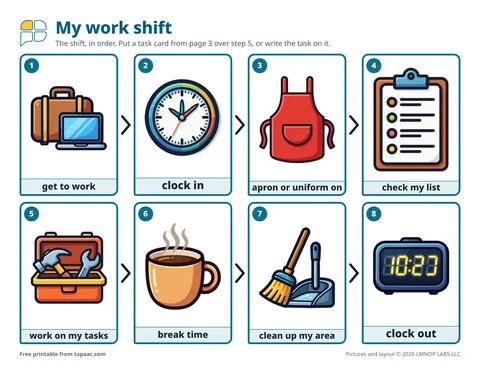 Work visual scheduleFor teens and adults: the steps of a work shift, a talk board for supervisors and coworkers, and 18 job task cards.
Need a different board? Make your own with the free AAC board maker.
Making a schedule? Use the free visual schedule maker: routines ready to open and change.
More boards on this topic: everyday AAC boards for adults.
These boards and guides are general information, not therapy or medical advice, and they don’t replace a speech therapist. A speech therapist who knows the person can help choose the right words, pictures and layout. The boards are free to print and share; please don’t sell them (terms of use). Questions about the boards? Email support@lmnoplabs.fun.