 Tap AAC
We make Tap AAC, an Android app that speaks for people who can’t, so we have spent a lot of time on voices that work offline. Tap AAC has its own voice and doesn’t need the steps below, but most text-to-speech apps do. Google’s steps are quoted from its own help pages, checked on October 30, 2026; menus differ a little from phone to phone.
How Android speaks text
Android has a text-to-speech engine: the part of the phone that turns written words into a voice. Apps that read aloud, from e-book readers to many AAC apps, hand their words to it. Which engine you have depends on the phone: Google’s engine, the phone maker’s own, or one you downloaded from Google Play.1 On many phones Google’s engine is already there as Speech Recognition & Synthesis, which “powers applications to read the text on your screen aloud”.2
The engine only works offline if a voice for your language is stored on the phone. Google says that “in some countries or regions, you may only be able to download a single, high-quality voice for offline use”.3 Google doesn’t promise in plain words that every voice works with no connection, which is why the test below matters more than any setting.
Install a voice on the phone
Google’s steps, for phones that use Google’s engine:31
- Open Settings, then Accessibility, then Text-to-speech output. On some phones it sits under a different menu; type “text-to-speech” into the search box at the top of Settings.
- Choose the preferred engine. Google’s is listed as Speech Recognition & Synthesis from Google, or Speech Services by Google.
- Tap the settings icon next to “Preferred engine”, then Install voice data.
- Choose your language or locale, for example English (United States), and let it download over Wi-Fi. Some languages offer more than one voice; pick the one you like, and download it.
- Back on the text-to-speech page, set the speech rate and pitch, and press Play to hear a short sample.1
Test it with no internet
Do this at home before you need it, not in a hospital corridor with no signal:
- Charge the phone, then switch on airplane mode and check that Wi-Fi is off too.
- On the text-to-speech page, press Play. If you hear the sample, the engine has a voice on the phone.
- Now open the app you will really use, type a long sentence with a name in it (“Please call my sister Maria”), and make it speak.
- Try a saved phrase as well as typed words: some apps store recordings for saved phrases and use the engine for new words, or the other way round.
- Restart the phone and test again in airplane mode, and test once more after the next system update.
If the sample plays but the app is silent, or says it has no connection, the app uses its own online voice rather than the phone’s. Look in the app’s settings for an offline or “device” voice.
Which apps speak without internet
What each app’s own listing or website says about working offline, for apps people use to speak for them on Android:
| App | Talks with | Without internet | Price (US) |
|---|---|---|---|
| Tap AAC (ours) | Pictures, typing and Word Guesses4 | Yes: its voice, Bella, is part of the app5 | Free for 30 days, then $29.99 once |
| Speech Assistant AAC | Typing and phrase buttons6 | Yes: it “does not require an internet connection” | Basic version free; extra features $10.99 once on Google Play ($24.99 on the App Store)7 |
| Twinkl Symbols | Pictures and writing with symbols8 | Its text to speech “works fully offline” | Free |
| TypingTalk AAC | Typing9 | Your choice of offline voices or more natural internet voices | Free |
| CommBoards AAC | Pictures10 | Yes: “no internet for core talking” | Starter boards free; Premium in-app $9.99 to $119.99, with a 7-day free trial |
| Otsimo AAC | Pictures11 | Yes: it “can be used offline” | Free download; in-app purchases $5.49 to $189.99; 14-day free trial |
| Spoken | Typing with word prediction12 | Partly: its high-quality voices need internet; offline it switches to the phone’s own voice1314 | Free to speak; Premium $12.99 a month, $99 a year or $249 for life on Spoken’s website. Store prices differ: its in-app purchases on Google Play run $6.49 to $249.9915 |
| Cboard | Pictures16 | Yes for boards (“content is cached for offline use”); its online voices need internet17 | Free version; a monthly or yearly plan for everything (in-app purchases $8.00 to $79.00 on Google Play)18 |
“Uses the phone’s voice” means the app speaks with the engine you set up above, so do that first. Tap AAC is different: its voice, Bella, is part of the app itself, recorded words and phrases first and a small voice model on the tablet for the rest, so it talks with no set-up and no connection.5 It can also use any voice installed on the phone instead.4
Built-in tools that read, but don’t talk for you
- Select to Speak reads aloud what is already on the screen: “you can select items on your screen and hear them read or described aloud”.19 It reads a message you received; it doesn’t give you a box to type your own words.
- TalkBack is Android’s screen reader, for people who can’t see the screen.20
- Live Transcribe can say a typed message out loud: see how to make your Android phone say what you type.
If the voice sounds robotic
- Install voice data again and try the other voices for your language, if there are any.
- Slow the speech rate down a little: fast speech from a small phone speaker is the hardest to follow.
- Some apps offer their own, more natural voices. Check whether those need the internet before you rely on them.
- For someone who will speak this way every day, the voice matters. Try several apps before you pay, and ask the person which voice feels like theirs.
Keep a backup that needs no battery
Any phone can run flat or break. A printed alphabet board or a few phrase cards in a bag mean a person can still spell or point. Our free alphabet board prints on one page.
More help choosing
- Make Android say what you typeLive Transcribe, call features, and text-to-speech or AAC apps, and which fits which need.
- Offline AAC appsApps that talk with no internet, the four kinds of “offline”, and a five-minute test.
- AAC apps for Android comparedWhat runs on Android, what it costs, whether it works offline, and who each app suits.
- Low-tech AACPaper boards, books and cards, and why every app user needs one.
Sources
Read on October 30, 2026. Google Play listings are named by app ID (the “id=” in their web address).
- Google. Use text-to-speech output (Android Accessibility Help). Google’s own help page. Accessed October 30, 2026.
- Google Play. Speech Recognition & Synthesis, by Google listing (com.google.android.tts). Listing text, United States, checked October 30, 2026.
- Google. Listen to books with Read Aloud: install voice data (Google Play Help). Google’s own help page. Accessed October 30, 2026.
- Tap AAC. Everything Tap AAC does. Our own feature list for the version on Google Play.
- Google Play. Tap AAC listing (com.tapaac.app). Price, trial and listing text, checked October 30, 2026.
- Google Play. Speech Assistant AAC listing (nl.asoft.speechassistant). Price, in-app purchases, last update and listing text, United States, checked October 30, 2026.
- Apple App Store. Speech Assistant AAC. Price, last update and listing text, United States, checked October 30, 2026.
- Google Play. Twinkl Symbols listing (co.uk.twinkl.symbolwriter). Price, in-app purchases, last update and listing text, United States, checked October 30, 2026.
- Google Play. TypingTalk AAC Text-to-Speech listing (com.miyanour.speechassist). Price, in-app purchases, last update and listing text, United States, checked October 30, 2026.
- Google Play. CommBoards AAC listing (com.shmoontz.commboards.lite). Price, in-app purchases, last update and listing text, United States, checked October 30, 2026.
- Google Play. Otsimo AAC listing (com.otsimo.aac). Price, in-app purchases, last update and listing text, United States, checked October 30, 2026.
- Google Play. Spoken – Tap to Talk AAC listing (com.spoken.app). Price, in-app purchases, last update and listing text, United States, checked October 30, 2026.
- Spoken. Do I need to be connected to the internet to use Spoken?. The maker’s help page. Accessed October 30, 2026.
- Spoken. What is a fallback voice?. The maker’s help page. Accessed October 30, 2026.
- Spoken. Does Spoken cost anything?. The maker’s help page. Accessed October 30, 2026.
- Cboard. Cboard: free AAC web application. The maker’s website. Accessed October 30, 2026.
- Cboard. The app’s English text, in its published source code (en-US.json). The list of subscription features and the offline messages. Accessed October 30, 2026.
- Google Play. Cboard AAC listing (com.unicef.cboard). In-app purchases, last update, listing text and the developer’s reply about the paid plan (November 3, 2023), United States, checked October 30, 2026.
- Google. Use Select to Speak (Android Accessibility Help). Google’s own help page. Accessed October 30, 2026.
- Google. Get started on Android with TalkBack (Android Accessibility Help). Google’s own help page. Accessed October 30, 2026.
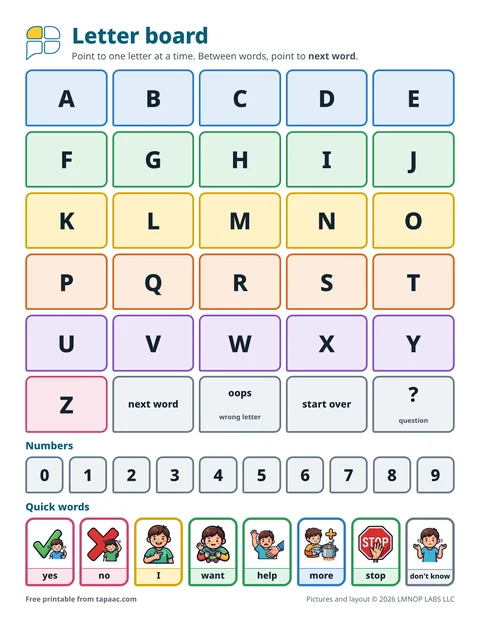 Alphabet board
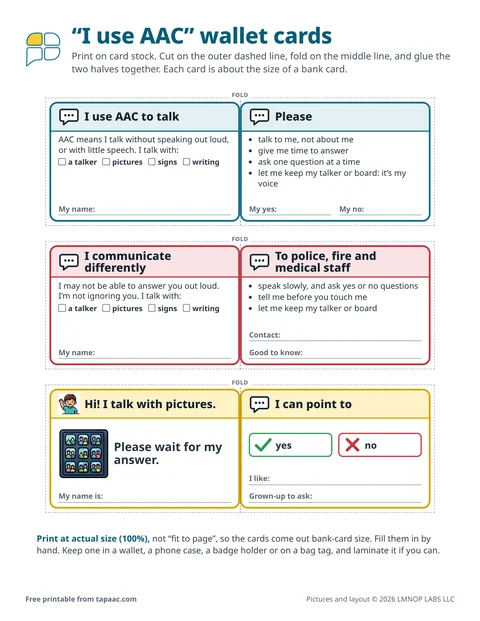 Nonverbal communication cards
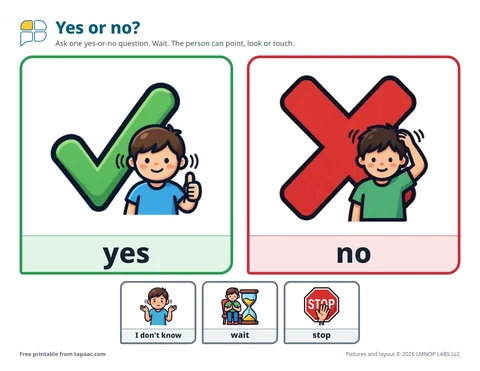 Yes and no board